| home -
services - guestblog |
last update: 16.05.2009 |
|
|
|
|
YORIK'S
SCRIPTS CORNER |
|
| This is the dirty kitchen where I'll put my blender scripting experiments, in search for the philosopher's stone, which by the way is a kind of a case of wrong translation to me, since french origin would more mean something like philosophic stone, and not philosopher's. Seems to me no philosopher need to enter the story...Well... Feel at home, read, download, and give me some feedback on the guestblog... | |
|
BLENDER SCRIPTS |
|
| version 1 - updated 05.06.2007 | |
|
This
script
renders the current scene, from start frame
to end frame, skipping images that already exist in the rendering path.
(Works with the extensions specified here below. If you render to files
with some other extension, you must add it manually to the list. The most useful use (yes...) of this script is when you leave a rendering task unattended, typically a week-end giant-animation-rendering. You make a command-line rendering using the script (in a shellscript, a .bat file, whatever) You configure your OS to start the job again in case of problem, power shortage, etc... (At or Cron in linux, Scheduled Tasks in Windows), and the rendering job will resume, skipping everything that got rendered already. |
|
| LookAtCamera |
version 0 - updated 04.12.2006 |
| You know when you copy objects that are looking at the camera to another scene that already has a camera? They will go there, and bring their own camera!!! How gross!!! Now, with this script, you can delete the new unnecessary camera, select all the villain object, run the script, and they will redirect themselves to the right camera, the one that's active in the scene... | |
| QuantitiesBill | version 0 - updated 05.01.2007 |
| This
scripts
creates a quantities
bill from the selected objects. It separates the objects by material,
then computes for each object either the volume, the total area or the
total length and creates a new text in the text editor, formatted in
CSV format, which you can save and open with any spreadsheet
application. For this script to be efficient, you need to be very careful when modelling, build proper meshes, according to the rules described in the script. It is a bit tedious but it is the right way to work with Blender. This is mostly made for small architecture projects, where you have linear elements, areas and volumes, to obtain a base to make a quick costs estimation. Be sure to apply transformations to objects before running the script... This script has been updated by people on blenderartists.org, so you'd better go there to grab a newer version... |
|
| Win2Lin | version 0 - updated 12.06.2007 |
| This little script is intended for people who use a dual boot (Windows/Linux) machine, and have the problem of having all their textures on one drive unit, which has a different name under Windows and Linux. This script detects your current operating system, and updates the images paths by changing the unit name if necessary. | |
| CrossSection | version 0.1.6 - updated 26.09.2008 |
| This script creates cross-sections of selected objects at their intersection with active object. Active object must be a plane (or any one-face object). Only meshes will be cut. The script has now been improved by Alex so no need to apply transformations anymore. Thanks, Alex! | |
| CheckIntegrity | version 0 - added 05.04.2008 |
| This script checks the active mesh for open or non-manifold edges. If all edges have exactly 2 faces, this means we have a perfectly closed manifold mesh. Otherwise, the 1-face or 3-face edges are selected, so you can fix them easily... Useful if you need well-closed meshes, for example when calculating volumes. | |
| DXF & SVG Profile exporter | version 0.1.5 - updated 26.09.2008 |
| This script exports selected wire contours (such as the cross sections generated by the CrossSection script) to dxf polylines or svg paths. In this last version I removed sdxf dependency. Migius did a big job at simplifying DXF outut too. He has also made a new version of a dxf export script so this one is a bit obsolete now. | |
| FreeCAD importer | version 0.1.0 - updated 17.05.2009 |
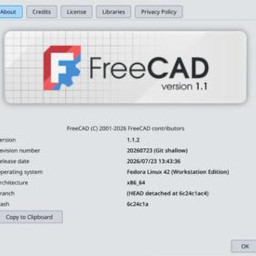
| This script imports FreeCAD files into blender. You must have FreeCAD installed for this script to work, and you must configure the path to your freecad.la file at the beginning of the script. | |
BLENDER THEMES |
|
| The default blender is rather ugly, don't you think? Here are a couple of home-made Blender themes to make it more sexy... Just click on the image to download the theme. Then, in blender, open a text window, load the them file, and run it (Alt-P). Then, if you liked, don't forget to save your preferences (Ctrl-U) otherwise you'll have to load it again next time you start blender. | |
![]() |
greyscale theme |
![]() |
yorikbuntu theme |
![]() |
tutorial theme |
![]() |
clean theme |
![]() |
black theme |
![]() |
dark theme |
![]() |
dark theme |
"BLENDER, ARCHITECTURE" BOOK - SAMPLE CHAPTER | |
| This is a sample chapter from Allan Brito's book "Blender, Architecture, Building and Scenery", for which I have made the technical review. This is chapter 6, treating Furniture modeling. Download it here (pdf, 1.6Mb) | |